Showing posts with label user testing. Show all posts

Dec 1, 2015

UX Toolkit for Product Owners

UX Toolkit
About one week ago I did a talk at the Agile Tour Vienna called "UX Toolkit for Product Owners". As I'm working as a Usability Engineer in several agile projects I learned that the team and especially the product owner can benefit a lot from directly talking to the users.

Because I think that UX is no magical thing that only can be done by people studying several years, I created a small "UX Toolkit" explaining 10 UX methods that could help product owners and other team members to get a better understanding of the users and that should help to validate their designs. The methods are End-User Interview, Contextual Inquiry, Personas, Scenarios and Storyboards, Card Sorting, Wireframes, Paper Prototyping, End-User Testing, Think Aloud and Heuristic Evaluation.

We tried to describe the methods briefly and we visualized how much experience is needed and how much time/effort is necessary.

In addition to the printed UX-Toolkit we provided a tiny Website (in German) for providing additional links to blogs and videos: ux.techtalk.at.

http://ux.techtalk.at
ux.techtalk.at

In the talk I presented then five methods including some real-life examples ... the slides (in German) are provided on Slideshare.

If you want to get the printed version of the UX-Toolkit you can directly contact me: claudia.oster[at]techtalk.at.

Besides that I want to highlight that the videos of the keynotes of the Agile Tour are online - for all UX-Designers the talk by Jeff Patton is a must-see. Have fun!

Apr 25, 2015

UXcamp Vienna 2015 - Highlights: Usability testament, little money, heroes & communication

Last week the UXcamp 2015 in Vienna took place. The organizational team did a great job and we had 4 parallel tracks, so a lot of talks we could choose from. One highlight was of course the keynote by Rolf Molich.

Keynote: Rolf Molich - The Testament of a usability professional - 8 lessons from 32 years with usability

I want to highlight two of his learnings - #1 was that the more things change the more they stay the same. I agree 100% with this - because the basics haven't changed: the methods we use in usability haven't changed in the last years and how humans perceive and act is still the same, so the basic design principles are still valid.

And the second lesson was that we as usability engineers should set good examples and should sweep at our own door before you sweep the door of your neighbors. For example also our documents we create should be easily readable for the "users".

Include positive findings in your usability report, because "even developers have feelings".


Session #1: Improve UX with Little Money by @sarapoetze

Sarah presented ideas how UX improvements can  be done if there's not a big budget for usability available. The four topics:
  • Use data that is already there (support request, read reviews in social media, analytics data, use photography for communicating ideas of the users environment to the team)
  • Get information in your team (ad-hoc personas by Tamara Adlin - but be careful!)
  • Get information remotely (remote usability tests, questionnaires)
  • Guerilla testing (test with colleagues, pedestrians, etc.; Informal testing session with users (Barbecue); Tool: Rainbow Spreadsheet (Google))
During the discussion we collected further ideas and it's always a good idea to stick to Standards.

Session #2: Design Heroic Experiences by @DamjanObal

Damjan had a nice idea - he tried to map the Idea of "a Heroes journey" to the process of creating a Product or Project Vision.
Silly outfit
  1. The Quest: What is the Problem we wan to solve? It's necessary to solve a real Problem.
  2. Help Lois: Know the user, know their Problem and help them.
  3. Villains: Who is the competitor? You should know him well.
  4. A hero is special (after dark) & as you and me (during the day): The product is powerful and smart (in the backend) & simple and minimal (frontend).
  5. The super: The product should have something Special.
  6. Silly Outfit: The design makes it complete and can make it catchy.
Stan Lee: "More than normal, but believable."
Don't design something that is "out of space" - it should be approachable.

Damjan provided his slides on Slideshare.

Session #3: Agile Design Thinking in Distributed Teams by @CForaita

Chris presented based on one project how the team managed to work with distributed teams in an agile project.

The core idea was to have one kick-off workshop at the beginning together to share ideas and work on the project together - some details:
Empathy map
  • Keep the team small (only participators, no observers)
  • 3 days: one room, no chair > Idea: No boring Meeting
  • Various methods, but all focused on gathering a lot of data
  • Method for getting everybody at the same bus: 100 cards with random words, they had to scissor out 6 words "How would your product work best?"
  • Empathy map for users
  • Design product box: White paper bags, melt down everything what you learned in the last days > visible what is really important.

Session #4: UX - zwischen Forschung und Praxis am Beispiel Medieninformatik by @peterpur

Peter Purgathofer of the technical university in Vienna presented how they work on projects and presented the project Aurora 2015. This is a tool for sharing information between students and teachers and organizing the tasks the students need to fulfill.
The project is open source and available on github.

Session #5: How can I ensure better communication in teams? by @KarinCepin

The last session was a very interesting talk and discussion of how communication can be improved in teams. Of course a important method here are the "Retrospectives" and that we should pleasure failing.
"Failing is a big methaphor for learning an improving."

We discussed that it is very important to feel save in retrospectives. And Karin recommended the Book "Project retrospectives by Norman Kerth:
"Regardless of what we discover we need to understand that everybody did the best job , … "

During the discussion we collected further ideas how to improve communication in teams:
  • Learning Session: there should be room to share what we learn (e.g. Dev-Jour Fixe).
  • Finding a Mission Statement in the team
  • "Getting to yes"-Method by Steve Blank: if the team has a problem they should ask themselves questions like "What would it cost for the company and would be the impact?" in order to provide this information to the management (further Information)
  • Involve the team (different roles, different departments) in the ideation Phase (e.g. Creating the backlog together with the whole team)
  • Support collaboration with pair programming, pair testing, bug fixing sessions


Like usually at UXcamps I learned a lot, had interesting discussion and met great people, See you next year :-)

Mar 8, 2015

Upcoming conferences: UXCamp Vienna & SNEK

Hi,
I want to share some interesting conferences coming up in April 2015.

UXCamp Vienna 2015
UX Camp Logo

On the 17th of April 2015 the UXCamp Vienna is again taking place at the FH Technikum Wien. The UXCamp Vienna is organized as a Barcamp - so this means everybody that participates should actively help to make a successful conference by giving a talk, communicating about the barcamp and share know-how during discussion.
The registration is already open - the early bird lasts until the 15th of March (30€). Other than usual barcamps the registration is not free - but the organization team invites a Key-Note Speaker and last year this was very cool.
The conference is mainly in german - but several talks are also in english.

SNEK 4

The SNEK conference is mainly focusing on .NET developers (and it is in german). The SNEK conference is taking place in Nürnberg (Germany) on 25th and 26th of April 2015. I will do there an introduction talk about UX review methods to find usability problems. Probably I will see you there :-).

Br, Claudia

Mar 1, 2015

UX-Findings: Develop UX Skills, Mobile UX & #littlebigdetails

Hi,

today I want to share some interesting articles & videos that inspired me in the last months.

Develop UX Skills

In my opinion one important goal of an UX expert should be to further develop know how about users and UX patterns over the time. As a team lead it is important to me to communicate this also to Junior UX Designers.
The article "Time with Users: Set Personal and Company Goals" by Jakob Nielsen was very inspiring for me to directly connect the time spent observing people with the personal goals.

Mobile UX: Luke W-How-To-Videos

The well-known UX expert Luke Wrobleski shared some interesting How-To-Videos on YouTube. He focuses on concrete UX problems in mobile development and explains solutions in detail.

LittleBigDetails - readme.io

There are several websites that collect littlebigsdetails - e.g. littlebigdetails.com. One nice example is the Password-Field of ReadMe.io.Check it out!

Login-Screen of readme.io


Regards, Claudia

Apr 29, 2013

User Experience Conference in Vienna @ linuxwochen

Hi,

I want to announce a great UX track at the linux weeks in Vienna next Saturday - May 4th, 2013.

In the morning I will do a workshop session with paper prototyping and usability testing. If you have an app idea or want to try out these techniques, you are very welcome.


More information regarding the UX sessions can be found on the User Experience Konferenz-Website (german).

Hope to see you there,
Claudia

PS: Of course free entry at all workshops and sessions.

Aug 24, 2011

EVENT: Usability-to-Go für Entwickler: 1x1 Kompaktwissen

Hi,

together with my colleague Stefan I will run a one-day workshop in Vienna and Zurich called "Usability-to-Go für Entwickler: 1x1 Kompaktwissen"
(It's planned to be in german, but we can handle english speaking participants too :-) ).

So the workshop is for developers and will be a hands-on workshop.


The content will be:
  • What is user-centered design?
  • Personas (representatives for the end-user)
  • Wireframes and Sketching to communicate and discuss requirements
  • Usability Testing
  • What methods are usefull depending on the project environment?

The dates are the 25th of October in Vienna (Austria) and the 3rd of November in Zurich (Switzerland).

More information about the workshop can be found on the TechTalk website.

Br, Claudia

May 16, 2011

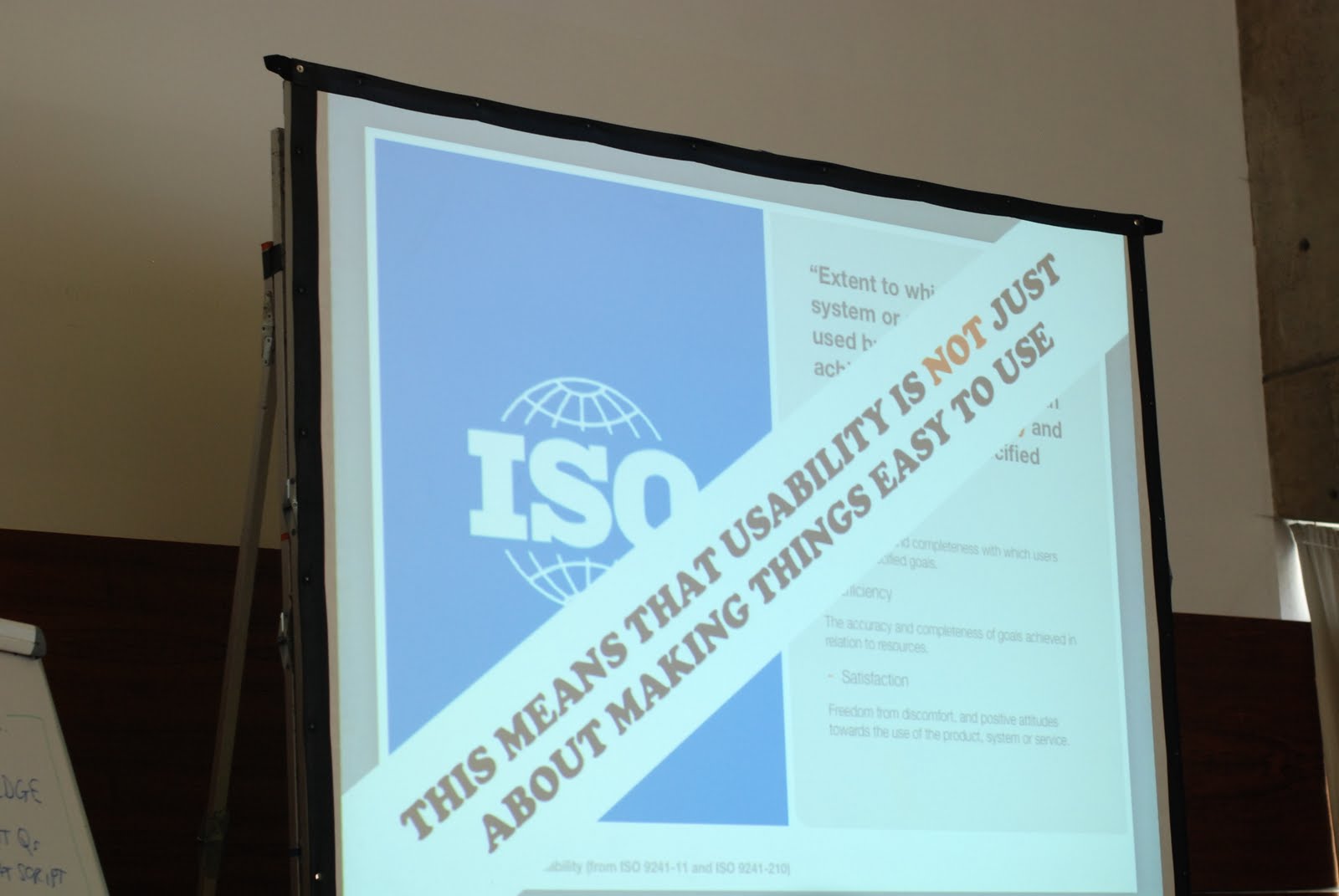
UXLX - 3: Usability testing bootcamp

The 2nd workshop I visited on Thursday was the "Usability testing bootcamp" by David Travis ..and here are my notes:

Usability is not JUST about making things easy.
- Just measuring Completion rate is not enough
- Just measuring Satisfaction is not enough
- Just measuring Time is not enough

Number of users for Usability Test
- Are 5 users sufficient? 5 users is based on the assumption that you develop iteratively.
- Steve Krug: "Testing one user early in the project is better than testing 50 near the end"

Phases of the usability test
- Identify the test goals
- Recruitment
- Identify the test tasks
- Preparation
- Consent: If the user is ok with the usability test
- Context-Setting: explanation of the method
- Demo Thinking aloud by the moderator
- Explicit Permission to start using the technology
- Practice thinking aloud with the participant (with an easy task that has nothing to do with the test itself)
- Task creation
- Moderated the test
- Survey
- Incentive

Usability test situations
- Portable test lab: Take the system to the user
- Single room setup
- Classic testing lab setup (one-way mirror)
- Classic benchmark test: Time on task - no think aloud
- Multi-room setup: Observers in another room
- Remote moderated test
- Remote unmoderated test

Writing test tasks: Headline Tasks ("red routes") are the most important things to test.
Ask the following questions...
- Is it really a red route?
- Is it specific and measureable? (is there a begin and endpoint)
- Does it describe a complete activity (integrated, not simple tasks)?
- Is the task "portable" to competitor products, systems or services?
- Does it include enough information to complete the task yet avoid hidden clues?

How to moderate a usability task
Hats of the moderator:
- Flight attendant: Welcome the participants, provide coffee, small talk,...
- Sports Commentator: Talk to inform the observers, Remind the user to think out loud, let the user to repeat the task in his own words, ...
- Scientist: Responsible for avoiding test bias and recording the data.
Br, Claudia

UXLX - 2: Short sessions - Magic, hurt feelings and forgiveness & Usability testing with mobile devices

The 2 short sessions I visited today were "Magic, hurt feelings and forgiveness" by Oli Shaw and "Usability testing with mobile devices" by Belén & Bernard.

Magic, hurt feelings and forgiveness by Oli Shaw

Fun & Inspiration:
- Costs of technology keeps falling
- Science fiction is becoming science facts

Pythagoras: There are no miracles, there is only ignorance.
Paracelsus: Magic meant the natural forces which were not yet completely understood.

Over time technology was always between Science and Magic.
Magitek - Magic & technology: Devices, apps, services..
- Explicity magical: Microsoft Wizzard, Magic Mouse, HTC Magic,...
- Implicitly magical: Mobile phones
- Unrecognized as magical: Skype, WiFi on moving,..

What are the principles of Magitek?
- It seduces through mystique & power
- It creates wonderment
- It can be used without thought
- It hides the complexity of its mechanics
- It goes beyond the obvious needs and expectations
- It leads into something deeper....

Kano model:

- Excitement can become to an basic need
- Something delighting can become disgusting very fast.

Usability testing with mobile devices by Bélen & Bernard
Extra challenges for mobile testing

- Which context?
- Which phone?
- Which connection?
- How to record?

Test your mobile software in the field... Testing in the field with mobile phone is difficult, time consuming and expensive.
- Some testing is better in no testing...  So test it in lab situation...

Use the participants own phones for the test!
The user needs to be familiar with the phone - the usability of the phone should be irrelevant (its realistic)

Don't test over WIFI - and switch of 3G.
You have to cover the costs of the participants!

Capture the test
- Mount camera on the mobile phone - very intuitive
To build you own mobile software lab: 138,68€

Br, Claudia

Feb 18, 2011

UX Events in Europe & why don't usability problems get fixed?

Hi,

today I want to share two user experience events in Europe you might be interested in.

One - I'm not sure if I will attend - is the UX LX in May - an User Experience Event in Lisbon with a lot of interesting speakers and workshops.

The 2nd event is the UXcamp Europe on the 11th and 12th of June in Berlin. I will be there and if you too perhaps we can get in contact...

And now a link that may be interesting for you.

Why don't usability problems get fixed?
UX matters, Jim Ross - February 7, 2011
The usability test is done, you worked on good solutions for the usability problems and presented them to the team.... A few weeks later only a few of your recommendations are implemented - what's wrong?
Jim Ross collected reasons and limitations and also provides some ideas how this problem can be solved.

Have a nice weekend,
Claudia

Mar 25, 2010

Unexpected usability problems...

Hi,

today I want to talk about unexpected usability problems. A lot of products are tested and tested and tested to ensure a high user experience and to find severe usability problems. One of these products is flight entertainment solutions.

Three weeks ago I flew from Munich to New York with Lufthansa and next to me sat an elderly man - about 75 to 80 years old. He tried to use the entertainment system and he couldn't figure it out the main issue .... "How can I navigate?"

What do you think was his problem?

His problem was that he didn't recognize or know that the screen is a touch-screen. He tried to use the space on the right side of the screen (what is actually the cup holder) like a mouse pad.

This example showed me again how important it is to test the application with end-users (because there is a gap between what you think is useable and how the end-user acts) and to test it in the correct - the real-life - environment.


Br Claudia